

memanto login
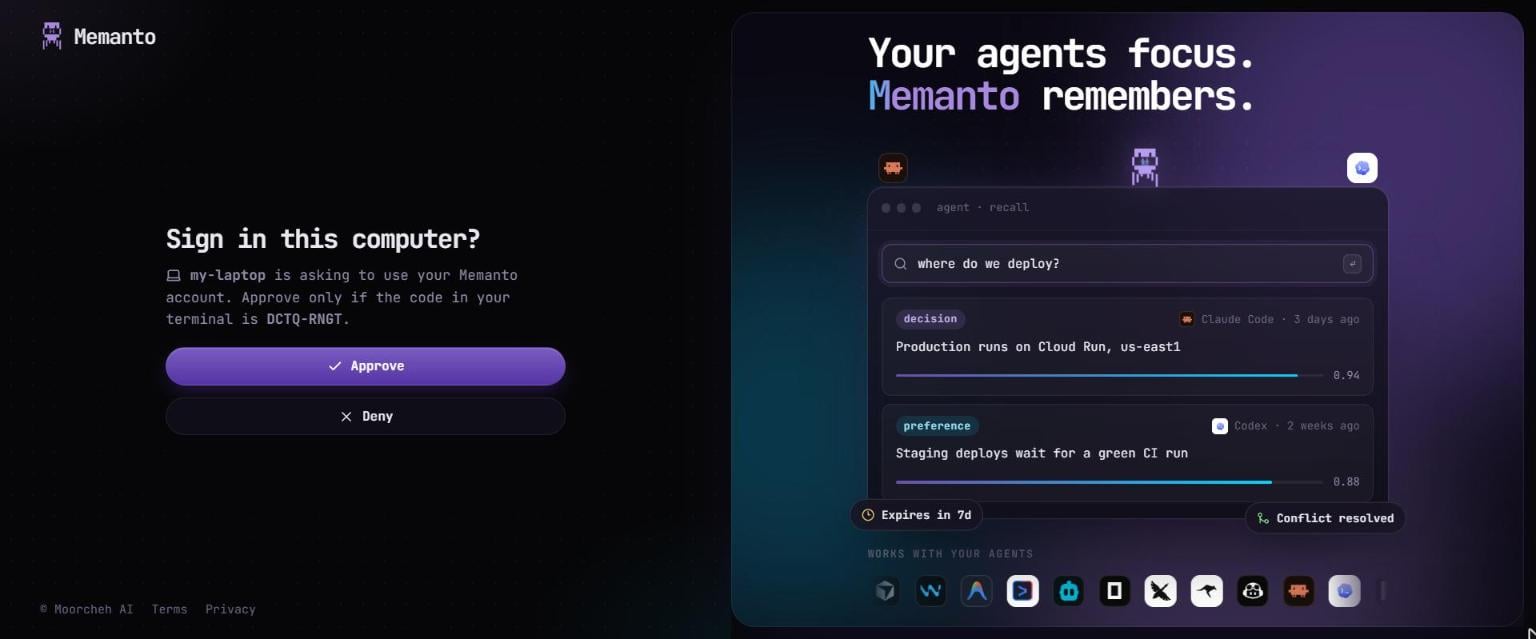
Sign in to Memanto Cloud and make it the active backend. Opens the Memanto console in your browser to approve this computer; there is no key to copy.--key TEXT- Sign in with an API key (mk_...) instead of the browser, e.g. for CI. Create one in the console under API keys.
Moving memories from Memanto local
If you were using Memanto local (with a Moorcheh API key or on-prem) and the command runs in a terminal,login asks what to do with those memories after you approve:
memanto migrate to-cloud.
Notes:
- The sign-in code is valid for 10 minutes. Ctrl-C cancels.
- No browser on this machine (SSH, a container)? Open the printed link on any device.
- The key is saved as
MEMANTO_API_KEYin~/.memanto/.env, never in a tool’s config files. - The computer appears in the console under API keys → Computers. Signing in again on the same computer replaces it instead of adding another entry.
- The backend you used before is remembered, so
memanto logoutcan switch back to it. - Coming from another backend, the active agent is cleared, because it belonged to that backend.
- If the console denies the request:
Sign-in was denied.If the code runs out:The sign-in code expired. Run 'memanto login' again.