Conflict Resolution
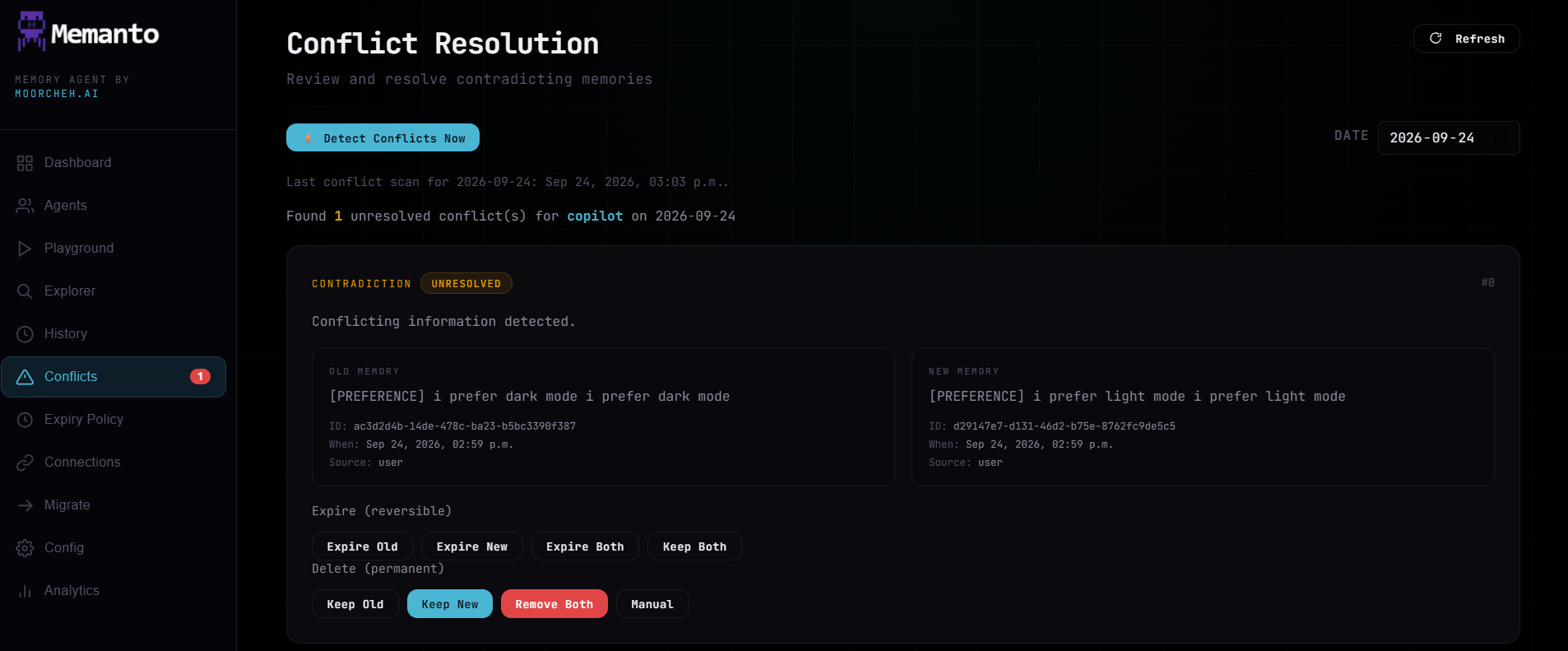
This view helps you manage contradictory memories that arise during data ingestion or scheduled scans (see Conflict Detection). The layout centers around two side-by-side memory cards: the Old Memory (currently stored) and the New Memory (the incoming statement). Below the cards are specific action buttons to resolve the conflict:- Keep Old: Rejects the incoming memory and preserves the existing one.
- Keep New: Overwrites the existing memory with the new information.
- Keep Both: Accepts the new memory while retaining the old one (useful if both are contextually true, or to establish a timeline).
- Remove Both: Deletes the old memory and rejects the new one entirely.
- Manual Merge: Opens a dialog to manually draft a new memory that synthesizes both points.
- Expire Old, Keep New: Immediately marks the old memory as expired (subject to the Expiry Policy) while promoting the new memory to the active context window.
- Expire Both: Immediately marks both the old and the incoming memory as expired.
memanto conflicts CLI or the Resolve Conflicts API.